Posts

Showing posts with the label foxwell nt650 elite

Foxwell NT650Elite Review: Unboxing & Functions Quick Look

Image
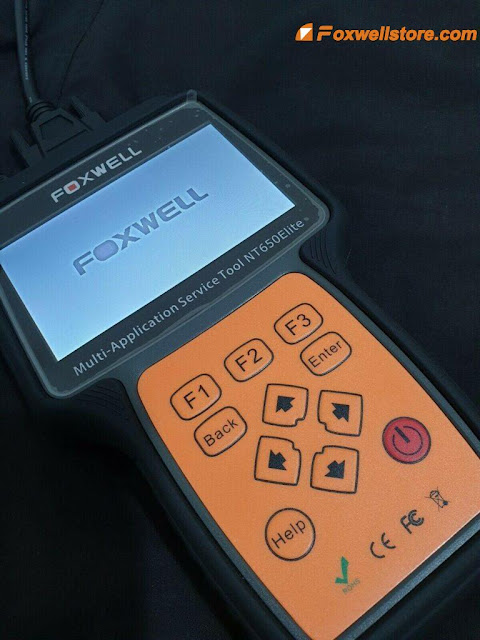
Hello! Today I’ll be reviewing the Foxwell NT650Elite Diagnostic Scanner that had just been got last week. It is an OBD2 scan tool that can identify cars quickly and easily. Now I’m going to show how it comes within the package. As we can see, here is the NT650 Elite main unit, it touches like a very good quality scanner. Its befitting size is accessible, which can be firmly held at hand with ease. There it also comes with a diagnostic cable, USB mini cable, TF card reader & quick start guide together in the case. There are 7 functions on the main menu: AutoVin, OBDII, ABS&Airbag, Maintenance(Special Functions), Settings, Data Manager, Update. AutoVin - It supports one click to automatically scan your vehicle VIN. Some old vehicles from 2002 or 2003 will not allow using the function, but most vehicles can. OBDII - To do OBD2/EOBD scan, including system status, read codes, erase codes, component test, freeze frame data, I/M readiness, on-board monitor test, modules present, liv...
Foxwell NT650 Elite: Most Detailed Update Procedure?

Image
Foxwell NT650Elite Multi-Application Service Tool stands out in a variety of similar tools by virtue of its wider coverage of vehicles, more accurate diagnosis, more reliable performance and better user experience. But a lot of customers sometimes feel confused about how to update the tool to keep the car models and software up-to-date. Indeed, this tool’s update procedure is a little tricky for new beginners to master freely. So this tech article will solve this update problem by providing the most detailed procedures. To update scanner, you need the following tools: •The scan tool •PC application FoxAssist •PC or laptop with USB ports •Internet service To be able to use update tool, PC or laptop must meet the following minimum requirements: •Operation System: Windows 7, Windows 8 and Windows 10. •CPU: Intel PⅢ or better •RAM: 64MB or better •Hard Disk Space: 30MB or better •Display: 800*600 pixel, 16 byte true color display or better •Internet Explorer 4.0 or newer Note: Before upda...

How to fix Foxwell NT650 Elite "Stuck in Boot Interface" Error

Image
Some customers have purchased Foxwell NT650 Elite and gave mostly positive feedbacks on working so well on their cars. But in recent days, some of them contacted the staff of the customer service of Foxwellstore and posted a serious problem when using this device.   Let' see what the problem exactly is and help them find out the reason and then provide a satisfied solution.   Problem customer encountered: Just getting NT650 Elite home to diagnose my car for about two months, recently, a problem occurred that I tried many ways to fix it. But it just didn't work. The device kept stuck in the boot interface and there is nothing I can do with it. What the hell is going on? Anyone could give me any help, I would appreciate it! Solution technical engineer of Foxwellstore provided: The reason why the problem of "stuck in boot interface" would occur is that the SD card's boot-loader breaks down, leading to the NT650 Elite can't start up normally.   What customers ha...

Foxwell NT650 Professional OBD2 Scaner FAQs

Image
 As an international OBD2 scanning tool, Foxwell NT650 offers multilingual support, and more importantly, is compatible with a range of Asia-based and EU-based vehicles. It will work on most models built after 1996, only if they have an OBD2 service port. The model guarantees a bug-free experience for users, thanks to its detailed presentation and wide range of services offered. It can detect and clear engine faults, thanks to the full range of OBD2 services provided. The Foxwell NT650 scanner features a rubberized coat which works to protect it against damage in the event the scanner is mishandled. The model has a wide LCD screen for clear data presentation, which it carries out in multiple ways that includes both graphical and textual diagnostic reports. Q1: Does the NT650 support TPMS services for imported trucks? A1: Provided your truck is compatible with OBD2, the NT650 will offer a range of basic and advanced diagnostic services. Q2: Can this NT650 reset airbag lights? If s...

Foxwell NT650 Elite Professional OBD2 Scanner FAQs

Image
Foxwell NT650 Elite with the latest diagnostic technology has upgraded the processor to 9X35 and the running memory to 1GBit which make this scanner run faster. It has Built-Application Diagnostic, Auto VIN technology and Global OBDII/ EOBD Scan. It is Excellent Value for Money and Best Choice You Can Trust. Let's see the FAQs from the customers: Q1: Does Foxwell NT650 Elite support clearing this fault light on Jaguar S-type, 3L, 2001, VIN SAJAC01L31FM15365? A1: You can use FOXWELL NT650 Elite to clear the ABS failure light, but the Engine failure light you should only try OBDII software to be able to communicate, if not, it will not be supported. Q2: Can Foxwell NT650 Elite support reading and/or resetting the error code for Daewoo Lanos year 2000, petrol 1.4? A2: No, it is not supported. But NT680 or NT680 Pro can support the functions you mentioned about this car model. Q3: Can Foxwell NT650 Elite do the 2005 Chevy(gm) trailblazer TPS? A3: Not supported. Not the device problem...