Posts

Showing posts with the label foxwell nt510 elite

How to do BMW Battery Registration via Foxwell NT510 Elite?

Image
This is taking a 2009 BMW 328i to demonstrate how to register a new battery with Foxwell NT510 Elite as an example. NT530 BMW Scanner is a newer device with the same features & similar operations. If you have just replaced the battery recently, the following may help. BMW Battery Registration Operating Steps Connect the Foxwell Professional Scanner to OBD. Turn ignition on, do not start the engine. Go to BMW >> Confirm car model >> SmartVIN >> Confirm VIN It is going to take a second to read the data. Just waiting until 100%... Service >> Body >> Voltage supply >> Battery >> Register battery replacement >> Register battery exchange Select number to do functions: 1. Display battery exchange history. 2. Register battery exchange. 3. End service function. Here select No.2. Select battery capacity: 1. Same capacity. 2. Higher / lower capacity. 3. Change from normal lead-acid battery to AGM battery Just select according to your case. Th...
Foxwell NT510 Elite Scanner Purchase Experience & User Tips

Image
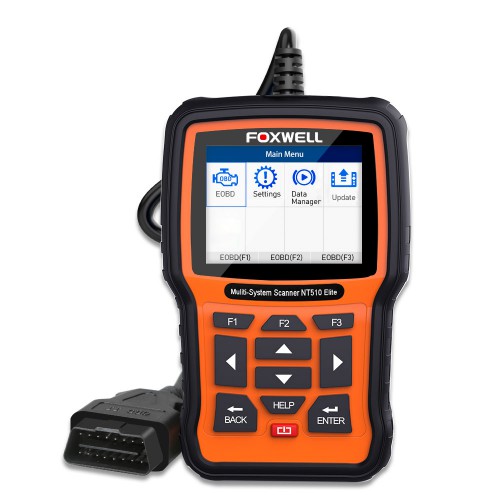
This article will share some of the customers’ purchase experience of Foxwell NT510 Elite and useful tips on it. Sincerely hope it can give some help to those who want to buy it or have a problem using it. @Martin Alexander: I just purchased a 2004 Mercedes Benz Sl55 a few weeks ago. I’m planning to do all the maintenance myself, along with some light mods along the way. (pulley, headers, exhaust, cooling, etc). OK, actually from my personal experience, I can tell, from unboxing -> Initial Background -Setup -> First Use and get to know maintenance functions, this NT510 Elite scanner totally meets my needs for my car. I’m so glad that finally I made up my mind to buy this scanner and I would recommend it like 100% to my friends who are looking for a tool like this.   From asking the Foxwellstore.com customer service and combining with my recent actual experience of using this scanner, I decided to write out the useful tips of it to share with you guys. Use tips: Foxwell...

How Can Customers Pick Between Foxwell NT530 and NT510 Elite?

Foxwell NT530 , Foxwell NT510 Elite are both affordable bidirectional scan tool, having the ability to interpret the details in your car’s OBD system. This permits a scan tool to trigger an appeal from the Engine Control Module (ECM) which gives a response by conveying data back to the scan tool in form of communication with your car to salvage the fault. Check the comparison table below: Brand model Advantages What work Workable Vehicles Suitable people Foxwell NT530 Delivers OE-level diagnosis for different car brands and supports the most commonly required service and coding features. Is a low-cost handheld scan tool Lifetime Free Update 1-Year Warranty Lifetime Free Technical Support   All system diagnostics, all special functions. One car’s function is different from that of another one. Dozens of car brands worldwide incl. BMW, VAG, Mercedes, Porsche, Aston ...

How to Perform Vehicle Active Tests by Foxwell NT510 Elite

Image
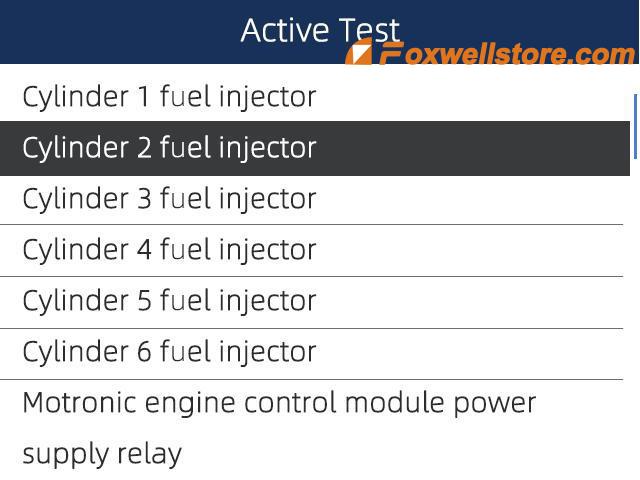
As an outstanding OBD2 product from Foxwell Professional Scanners, Foxwell NT510 Elite has the 11 main powerful functions, for example, reading and erasing error codes, reading record graph live sensor data, freeze frame data, ABS bleeding Anti-lock Braking System Device Reset Tool, SRS Airbag Device Reset Tool etc. Such an ideal professional scanner with cost-effective price and high quality. This tech article will focus on providing specific procedures on how to perform vehicle active tests using the Foxwell NT510 Elite Professional Scanner. Before the actual test, let’s first get to know more about the meaning of the actual test? What does this concept exactly mean? Active Tests, also known as Actuator Tests, are bi-directional diagnostic tests on vehicle systems and components. The tests let you use the scanner to temporarily activate or control a vehicle system or component, and when you exit the test, the system/component returns to normal operation. Some tests display command t...