Posts

Showing posts with the label foxwell nt530 bmw

How to do BMW Battery Registration via Foxwell NT510 Elite?

Image
This is taking a 2009 BMW 328i to demonstrate how to register a new battery with Foxwell NT510 Elite as an example. NT530 BMW Scanner is a newer device with the same features & similar operations. If you have just replaced the battery recently, the following may help. BMW Battery Registration Operating Steps Connect the Foxwell Professional Scanner to OBD. Turn ignition on, do not start the engine. Go to BMW >> Confirm car model >> SmartVIN >> Confirm VIN It is going to take a second to read the data. Just waiting until 100%... Service >> Body >> Voltage supply >> Battery >> Register battery replacement >> Register battery exchange Select number to do functions: 1. Display battery exchange history. 2. Register battery exchange. 3. End service function. Here select No.2. Select battery capacity: 1. Same capacity. 2. Higher / lower capacity. 3. Change from normal lead-acid battery to AGM battery Just select according to your case. Th...
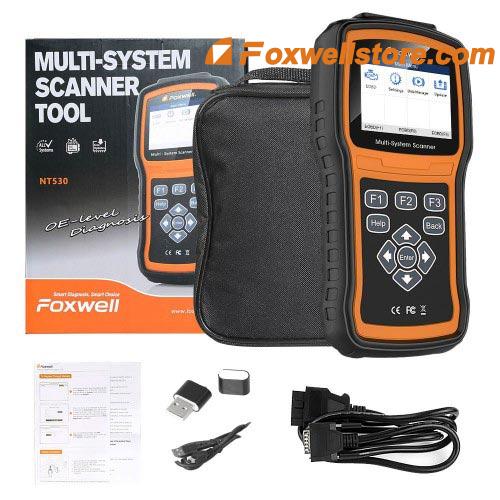
Foxwell NT530 BMW OBD2 Scanner Vehicle Coverage & FAQs

Foxwell NT530 BMW OBD2 Scanner adds BMW F-series & F-chassis diagnosis, can work with the latest 2020/2021 models. Check below BMW vehicle list to find more: Foxwell NT530 BMW Vehicle Coverage               BMW Models 1 Series: E81/E82/E87/E88, F20, F21 2 Series: F22, F23, F45, F46, F87 3 Series: E30, E46, E90/E91/E92/E93, F30, F34, F80 4 Series: F32/F33, F36, F82/F83 5 Series: E28, E34, E39, E60/E61, F07, F10/F11, F18 6 Series: E24, E63/E64, F06 F12/F13 7 Series: E23, E32, E38, E65, F01/F02/F04, G11/G12 8 Series: E31 I Series: I01/I12 X Series: X6_E71, X1_E84, X1_E48, X1_E49, X3_E83, X3_F25, X4_F26, X5_E53, X5_E70, X5_F15, X5_F85, X6_E71, X6_E72, X6_F16, X6_F86 Z Series: E30, Z1_E30, Z3_E36, Z4_E85/ E86, Z4_E89, Z8_E52     ...

Why Foxwell NT530 BMW Scanner Work Perfectly for Different BMW Cars?

Image
Here in this article will share some of the representative customer reviews about NT530 BMW Scanner . This is for revealing the answer to the question based on the actual customer using the experience of this scanner. What’s been confirmed so far is NT530 can perform diagnosis, basic function (read & clear codes) and special function (reset SRS airbag MIL, engine light, etc) for many BMW car models.  @Alexander Mitchell: five-star rating and working like a Pro version The quality of this nt530 scanner is good. Inside the case is a quality OBDII computer. Reset 2004 BMW330Ci engine light showing the usually upstream fault code. Reads ST fuel stream an LT fuel stream in real-time. So you can find those vacuum leaks. Works on 2016 Subaru, Ford 350 van a Toyota highlander. Worth every penny! A super-duper fast delivery! @Danie Reyes: Perfectly read all modules and activate a specific function My personal experience of purchasing an NT530 bi-directional scan tool for 2012 E70 BMW X5...

Foxwell NT530 BMW E46 “No CEL P0170 & P0173 Codes Error” Solution

Recently, got the feedback from one American customers, saying he got an error report when using the Foxwell NT530 BMW scanner to work on his car, BMW 2000 323 ci E46. He told our customer service that he tried very hard to get it ready for DEQ, but the scanner’s screen just showed P0170 and P0173 -Fuel Trim Bank one and two . What happened? Could I get some help? This seems like a problem that might a little bit hard for us to work out, because that’s the first time our technical support engineer has met this kind of error code report. But thankfully, we still get it fixed well as always. Solution provided as below: I hereby informed all of the customers this message: P0170 and P0173 are codes for the MS42 DME , so you must be working on your 323ci. The codes don’t tell you if the problem is a rich or lean problem. You are going to have to look at your fuel trims to work that one out. Look at all 4 of the furl trims, 2 short term and 2 long term.   If the long term ones are negat...

Foxwell NT520 BMW E36 "No communication" error solution

Image
One customer recently posted an issue, his Foxwell NT520 got "No communication" error when hooking up to BMW Z36, this bothered him a lot. Already tried to connect the 20 pin connector (for BMW) for many times, but still cannot decode the VIN successfully even though using Automatic or Manual mode. Thankfully, the technical support of Foxwell put forward the satisfied solution.  Let's have a look at BMW 20 pin connector : Then, let’s check important information of his car: Car model he owned: 2000 BMW E36 (old car) Get Foxwell NT520 scanner Here is the detailed information of his car. See what his problem exactly is: 1. No communication with Drive, Body, Chassis 2. VIN coding failed           Things you have to know: 1. Foxwell NT520 doesn’t support VIN coding. 2. Scanning old BWM car with Foxwell NT520 scanner must equip with one extra BMW 20pin connector (PS: Foxwell NT530 can do the same)