Posts

Showing posts with the label foxwell gt60

Foxwell GT60 Review: Peugeot 207 Passion Oil & Mileage Reset OK
Image
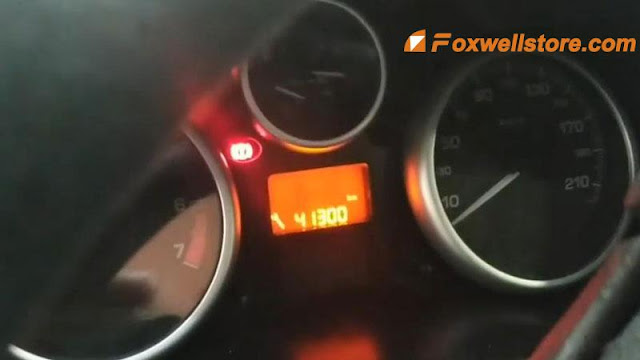
This Peugeot 207 Passion had a solved problem but still with a 41300km mileage continuously showing on the dashboard. So I’m gonna use Foxwell GT60 Tablet Scanner to reprogram it. Plug GT60 connector into OBD2, go access Maintenance >> Oil reset >> Start >> Europe >> PEUGEOT >> Auto reset >> 207 >> Resetting to zero of the service mileage Maintenance mileage zero reset carried out. Press “Maintenance”. Ignition on Here we can modify the values including: Period before servicing(km), first maintenance threshold(months), the period before servicing(km) Press “OK” to save. Configuration carried out. Let’s go back to check Peugeot dashboard. Turn ignition off then on. Alright, problem has nicely resolved.  Mileage 41300km is missing, and no more appear again. Good job. All reset have been done! Foxwell GT60 is very easy to use, it can solve maintenance issues for Peugeot, Citroen, Renault, Fiat, VW... as well.  This Foxwell Diagnostic Pla...

How to reset Audi A8 EPB with Foxwell GT60/ GT60 Plus step-by-step

Image
  Foxwell GT60  &   GT60 Plus  are supported to do EPB reset for a 2006 Audi A8 via OBD successfully. Follow the operations below to learn how to do. Plug GT60/ GT60 Plus connector into OBD2 port, press Maintenance >> EPB >> Start >> Europe >> Audi >> EPB_Audi A8 >> Special function >> Brake pad replacement (operation guide) Warning: If the function is forced to exit during the execution of this functions, the parking brake system may not be enable! Press “OK” to continue. Make sure that the voltage is greater than 12V. The electronic handbrake is released(the button light is off). Before executing the next step, you must wait for the end of the change program. Please release the handbrake. Turn off the ignition switch. Please replace the brake pads, after the brake pads are replaced and installed. Turn on the ignition switch. Press “OK” to continue. The brake is closed again and is available. Please enter the n...

Foxwell GT60 “Settings” Application: Meet Your Best Needs?

Image
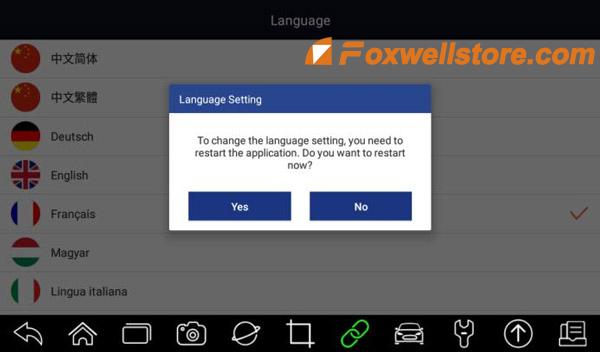
This tech article aims to illustrate how to perform “Settings” of Foxwell GT60 Diagnostic Platform to meet customers’ specific needs. When the Settings application is selected, a menu with available service options displays. Menu options Mainly include: <1>Unit <2> Language <3>Push Message <4>Automatic Update <5>Uninstall Vehicle Software <6>Print Settings Let’s move on to learn the specific settings of each part. How to Change Units? Selecting Unit opens a dialog box that allows you to choose between Imperial customary or metric units of measure. To change the unit setup: 1. Press Settings from the home screen of the GT60 diagnostic application. 2. Press Unit and available unit system display. 3. Select a unit system. How to select proper language? Select Language opens a screen that allows you to choose a system language. Got the steps to configure system language: 1. Press Settings from the home screen of the GT60 diagnostic application and selec...